Sponsored This piece was sponsored by Patch DNA. Patch DNA wrote it, and we edited it. Our editorial standards still apply.
House Presets for Serum 2, Generated Inside Your DAW
Patch DNA makes The House, the preset generator this piece covers.
The short version
The House is Patch DNA's genre-focused preset generator for Serum 2, built for house music. You pick a style and a sound type, generate a playable preset inside your DAW, and keep shaping it in Serum 2. Here is how it works, what you can do with the results and what you need to run it.
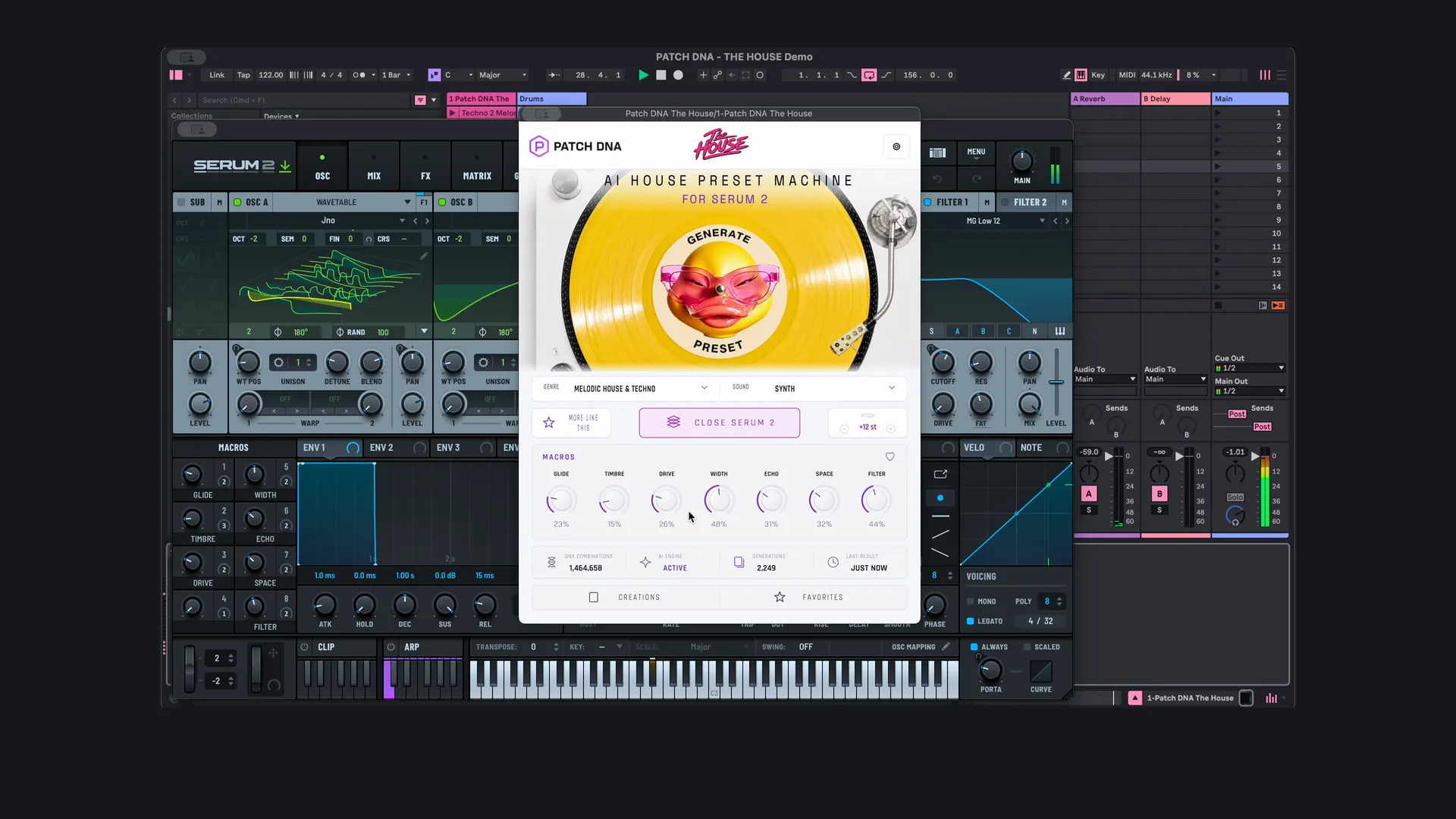
The House lets you generate house presets for Serum 2 inside your DAW, rather than handing you a fixed bank to browse. It runs on Windows or Mac, so you can generate a sound and play your own part with it alongside the music already in the project. It costs $129 as a one-time purchase, and you need your own copy of Serum 2.
How is a preset generator different from a preset pack?
If you enjoy exploring Serum 2 preset packs, the appeal will be familiar: a sound can make you want to play something. A pack gives you a fixed selection to browse. The House lets you generate further presets in a chosen musical direction, then explore variations around any result that interests you.
That can serve a track you have already started, or give you a reason to open a new one. You might go looking for a bass under a drum groove and end up writing the phrase that gives the sketch its character.
Which house styles does The House cover?
Five: Afro House, House, Melodic House & Techno, Progressive & Deep House, and Tech House. Choosing one gives the generator a musical context before you press Generate.
An Afro House sketch might start from a percussion loop that already has plenty of movement. A short pluck or lead phrase can sit in the gaps and leave room for the percussion to answer. Generate gives you another sound to try with that phrase. A new timbre might make a held note more appealing, or suggest fewer notes and a longer pause. What you are listening for is the relationship between the part and the groove.
In a Tech House sketch, the bass and drums may be the focus. Try a short bass figure against the kick and listen to where it lands. The choice is how much movement the part needs: a compact repeated hook, perhaps, or an answer at the end of the phrase.
Across the collection, the sound types include basses, leads, plucks, pads, arps, chords, sequences, stabs, synths and effects. Which ones you can pick depends on the style, so you can start from the role the track needs.
Genre Lock keeps the search inside the style you chose. Blend brings another house style into it. You can stay close to a palette that already suits the project, or let another influence change the mood.
How do you use it while writing a part?
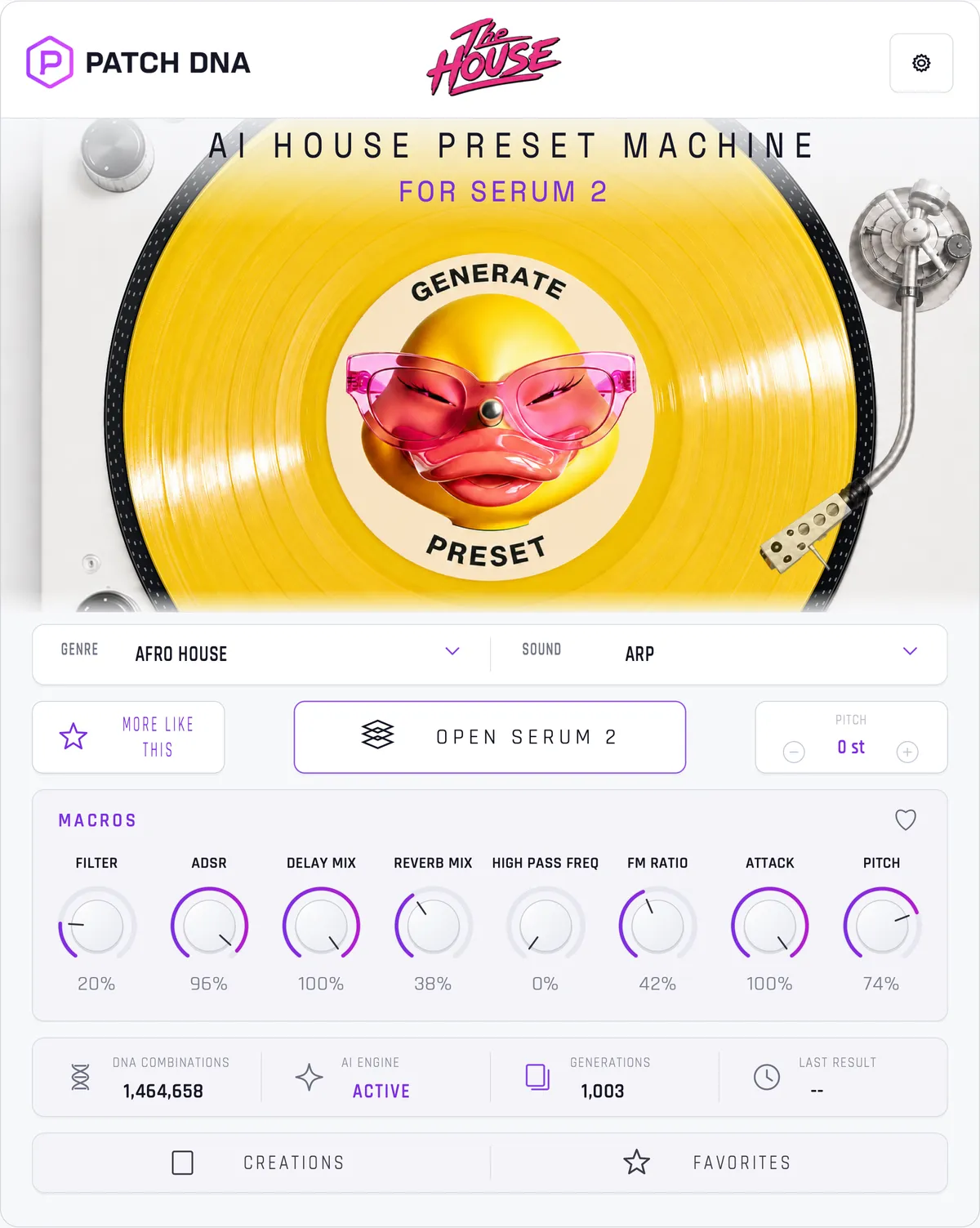
Your own phrase gives a generated sound a musical setting. Inside the DAW you hear it at the project’s tempo and against the other instruments. A busy percussion part may leave little room for a new voice, while a sparse arrangement gives a longer melody somewhere to go. What you play can grow around what is already there.
If a pluck starts to work with the percussion, More Like This generates related variations. Keep the phrase while you listen, or let a variation change its rhythm. One version might suit the main part and another a response between phrases.
You can also start from an empty project. A generated chord or lead can be the first thing you play, with the groove taking shape around the phrase it suggests.
To hear the sounds in context, Patch DNA’s full demo of The House is a finished arrangement built from them. It includes other instruments, so treat it as a musical presentation rather than a recording of the synth on its own.
Can you keep and edit what it generates?
Yes. Creations and Favorites keep the finds worth returning to. A sound that doesn’t fit today’s track may suit a different sketch, and you build up a personal selection from the sounds you choose to save.
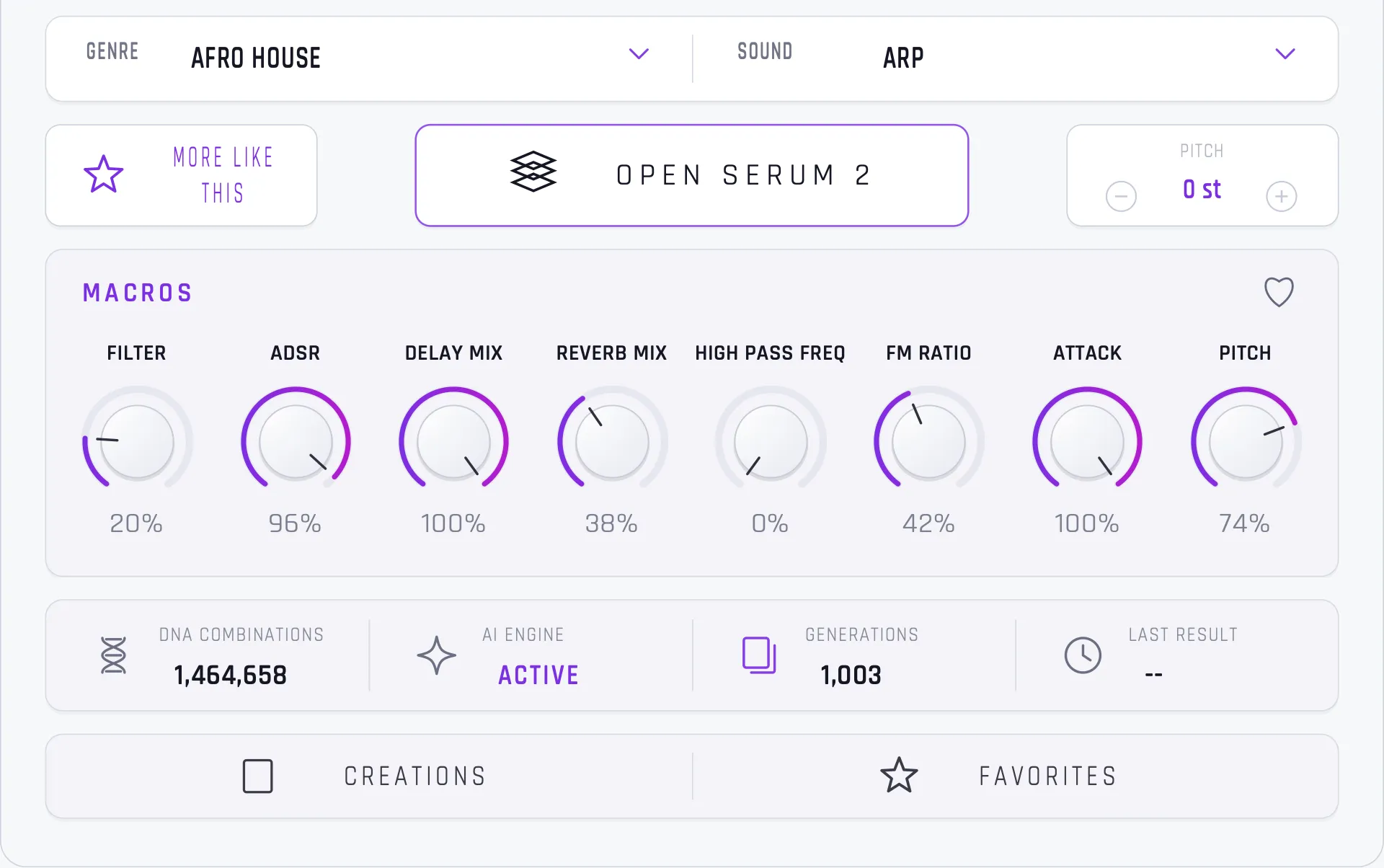
Each result has a set of active macros and a Pitch control for quick changes, and Open Serum 2 takes you into the full patch. Everything stays editable in Serum 2, and you can save the preset and keep developing it in your own sessions.
Can you use the sounds in your releases?
Yes. Patch DNA’s terms (section 10) let you use generated presets in your own music, including commercial releases, client work, film, games and advertising, and sell and distribute the finished tracks. What you can’t do is share or sell the presets themselves, alone or as a pack, without Patch DNA’s written permission. The terms also say a result isn’t guaranteed to be unique, since similar settings can produce similar sounds for different users.
What do you need to run The House?
- Serum 2, installed and activated. It’s a separate product from Xfer Records and isn’t included.
- macOS 14 or later (Apple Silicon or Intel), or Windows 11 x64, build 26200 or later.
- A DAW that loads VST3 or Audio Units. The House runs as VST3 and as a standalone app on both systems, and as AU on macOS.
- An internet connection for activation. After that it generates offline, on your own computer, and needs to reconnect at least every 14 days to renew the license.
The product page lists the current requirements.