Soundraw Review - Easy AI Music Generation
From the archive First published March 2023. Prices updated October 2026; a full rewrite is coming. Why
In this post we review one of the most convenient and easy-to-use AI Music Generators: Soundraw.
AI-generated music is becoming increasingly popular among creators looking for an easy and efficient way to produce high-quality soundtracks for their projects.
One tool that’s making waves (“sound waves” pun intended) in this space is Soundraw, an AI music generator that’s designed to simplify and streamline the process of creating original and Royalty free music.
In this review, we’ll take a look at Soundraw and see how it stacks up against some of the other tools available in the market.
We’ll explore its features, functionality, and benefits, as well as some pros and cons.
Whether you’re a music producer, video editor, podcaster, or game developer, you’ll find something of interest in this review. Let’s dive in!
Overview
There hasn’t been a shortage of AI tools emerging (specially since the birth of the most famous AI tool: ChatGPT).
It is easy to see that AI is here to stay, and it’s only going to grow at an exponentially faster rate.
Every industry is getting access to tools that allow creators and every creative individual to approach their craft in a more efficient and automated manner, and the music industry is no different.
Let us have a brief look at what Soundraw is bringing to the table, and what part it might play in the technological revolution:
What is Soundraw?
Soundraw is an hassle-free and easy-to-use AI Music-Generator.
If you do content creation, you know how old and boring it can get spending hours searching for the perfect music to fit our video, podcast, or any other creative project.
This innovative AI music generator allows you to create custom compositions that perfectly match your content in just minutes, with no music composition knowledge required.
What sets Soundraw apart from other services that provide stock audio music is its ability to generate dozens of variations of a song to fit your exact needs.
Long gone are the days where you find yourself struggling to find a piece that matches the mood and progression of your project, or worse yet, settling for a stock audio track that just doesn’t quite fit.
With Soundraw, you simply tell the AI how you need your song to be and let it do the rest.
And the best part? You can further customize your chosen composition to make it truly your own.
How does Soundraw work?
Soundraw’s AI algorithms analyze a vast database of musical patterns and structures to generate original AI music based on the user’s preferences.
When you start using Soundraw, you will be greeted with a simple interface where you’ll be able to start creating your AI music by choosing one of three options:
Select the Mood
Select the Genre
Select the Theme
This serves only as an easy way to start (“The Starting Point”), as you can change those same parameters right after, in the actual main editor.
For reference, in this review we chose “Dark Mood”.
Let us now have a look at the interface:
Interface
Soundraw features a dark theme with an intuitive and pleasant feel.
After choosing the “Create Music” option, you’ll see a grid full of options, each one of them with a picture that represents the emotion and purpose of the parameter.
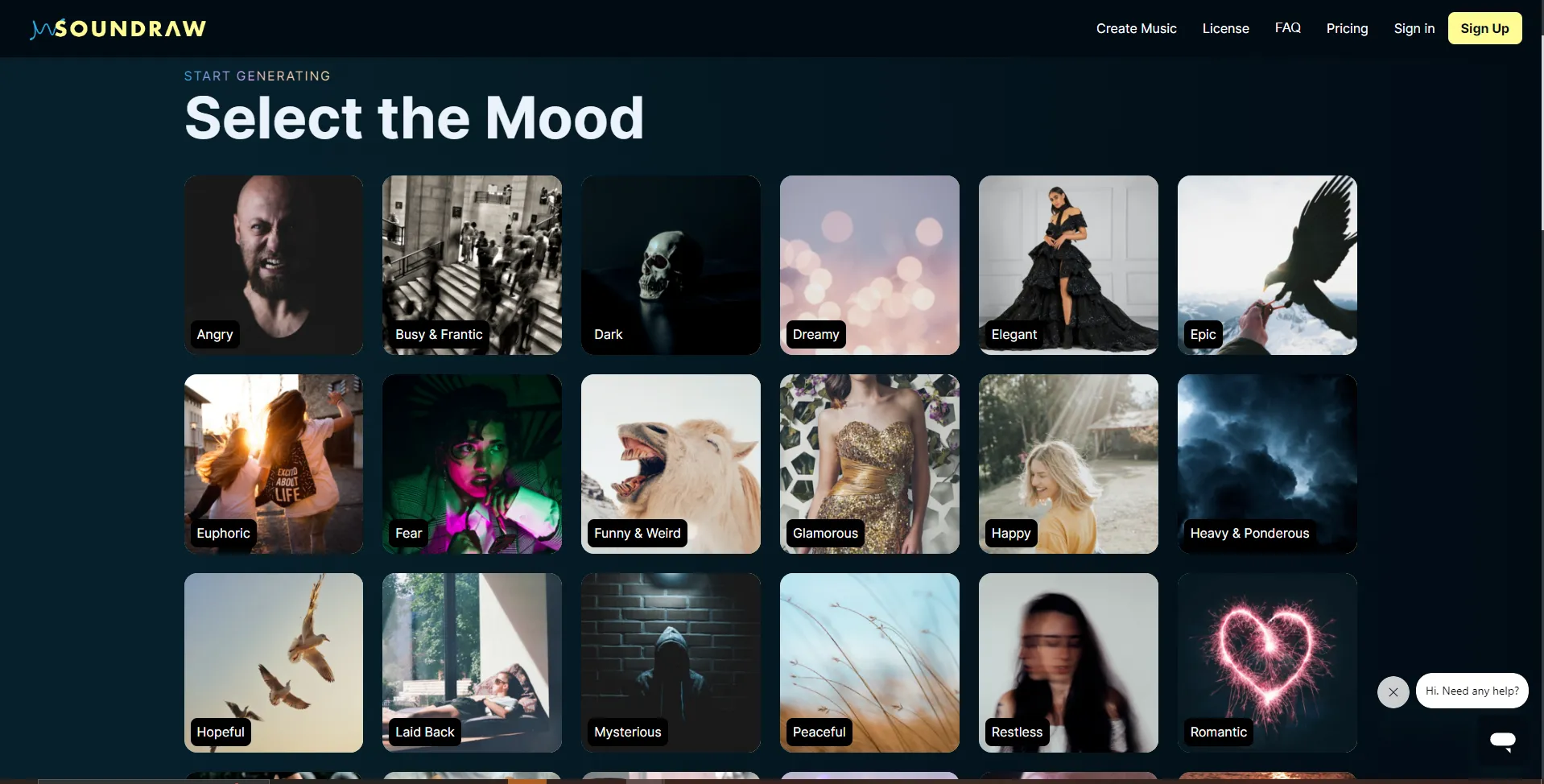
This is the previously mentioned “Starting point”, and for those of you who really want to do things with the least amount of effort, this is enough to get a big list of results.
In the following window you’ll get a list with 15 different songs to choose from.
It feels very familiar and similar to other services and sample libraries like Splice and Pond5.
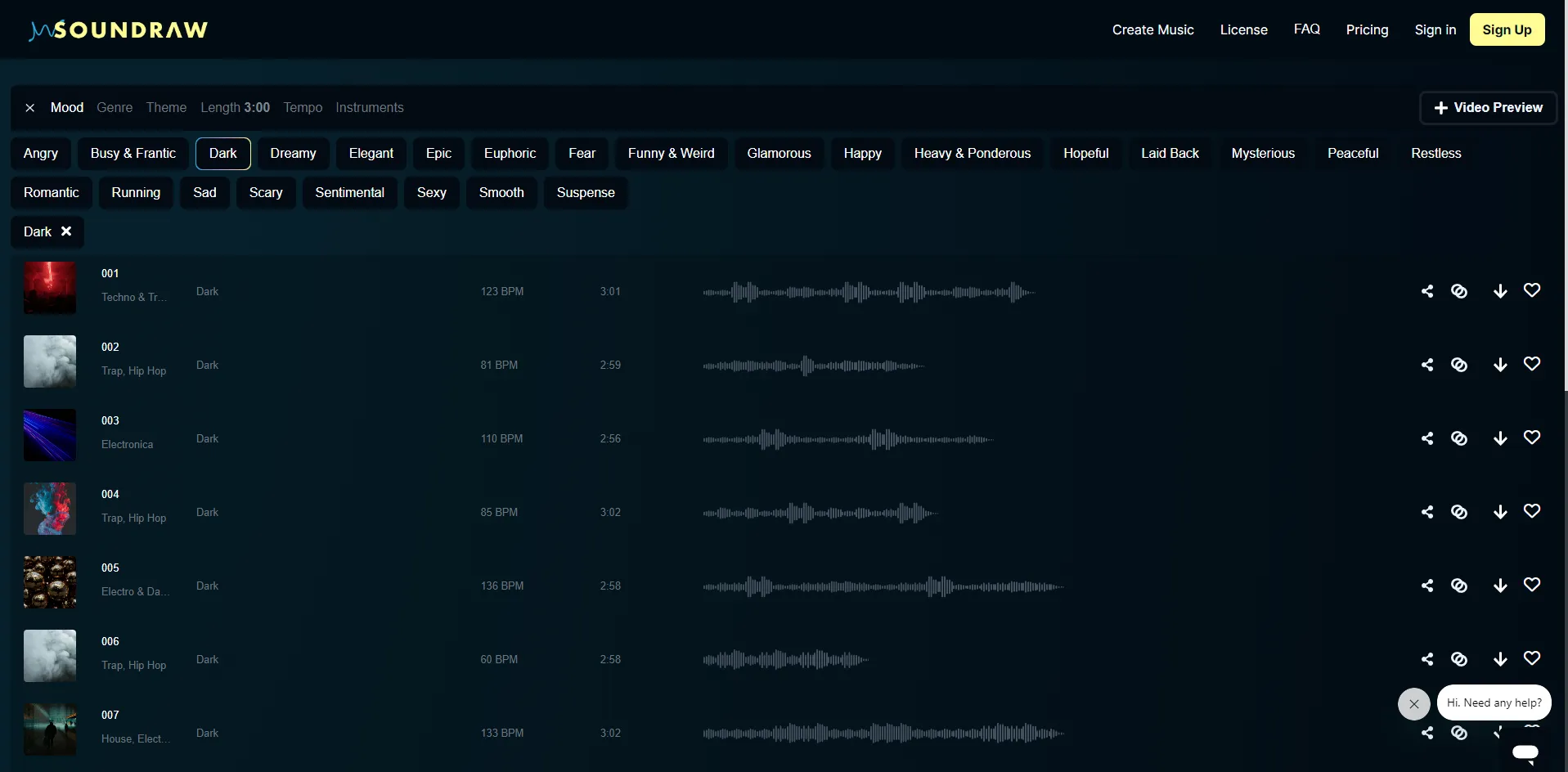
From here you can choose one of the AI-generated songs.
You have the option to listen, share, favorite and download each song, as well as creating another one based on your selection.
You can also change more parameters, and keep on generating music with each one. The available parameters available are:
Mood
Genre
Theme
Length
Tempo
Instruments
Each one of these will give you enough flexibility to experiment around and try to find a music that suits your project like a glove. (Or “suit your ears like an earplug” for a more appropriate sound-based saying)
You also have a “Video Preview” feature where you can upload your video to Soundraw to see how well the chosen AI Music fits the your project. (A nice and neat addition)
How much can you edit a Soundraw track?
This is probably where Soundraw starts to shine in comparison to old-school sample libraries.
Not only do you have access to a lot of parameters to create your music, but you can also edit the music yourself!
The editing is simple enough, and any person who knows the difference between a guitar and a piano is able to play around with the settings.

The audio track is divided in several audio blocks, each one representing a section of the song.
You can remove or change the intensity of each block, giving you enough options to design the progression of the song to fit your project in the best way possible and without needing any music theory background.
If this is not enough… fear not!
Soundraw also features a Pro mode!
Pro mode
This mode is essentially an extension to your basic editing window, but with some added depth and even more options.
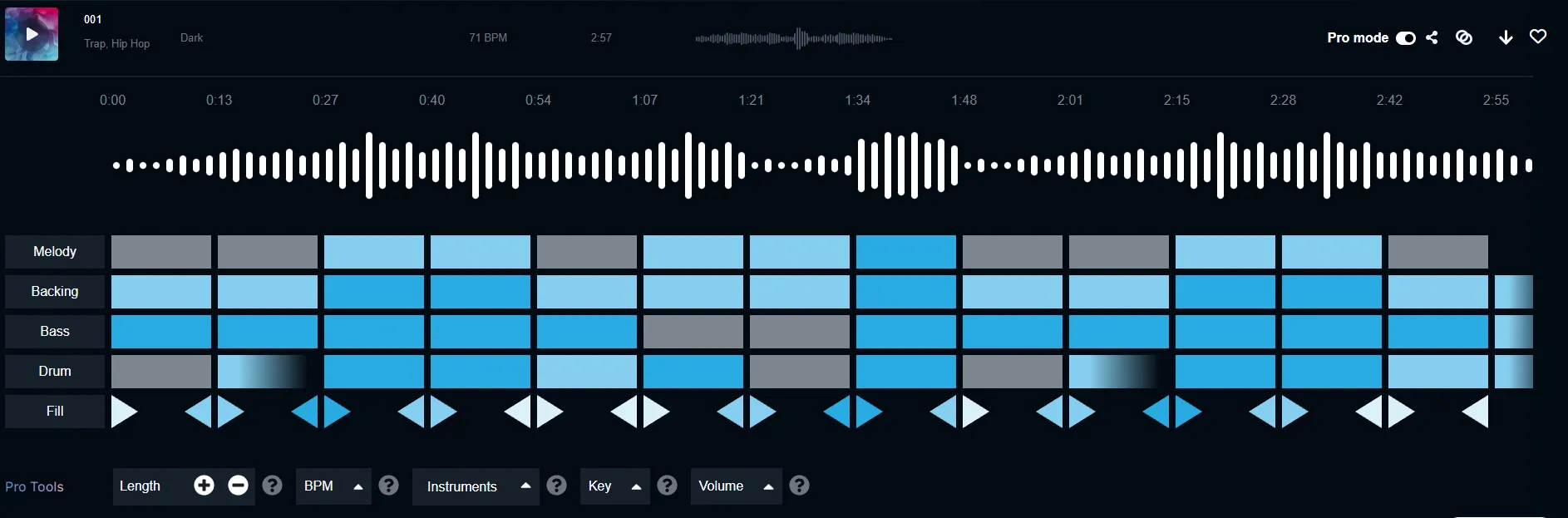
If you still know the difference between a guitar and piano, you’re in luck!
You don’t need to be a professional to use “Pro Mode”, but you’ll certainly feel like one after being able to customize which instruments to use, how they sound, and how they play in each section.
This is probably as close as you can get to music composition and production without actually knowing anything about music composition or production.
Every option functions as a sort of “preset”, so any combination you choose will sound good.
This level of control allows you to fine-tune the music to perfectly match the mood and progression of your project.
There are, of course, other tools in the market that allow you to actually do music composition with the help of Artificial Intelligence, being one of the greatest examples: AIVA.
Whether you have knowledge in music theory, or are a seasoned musician, feel free to read our review of this AI Music Composition Assistant:
Also read: “AIVA Review - Everything You Need To Know - AI Composition”
How much does Soundraw cost?
| Plan | Price | What you get |
|---|---|---|
| Creator | €5.83/month | Billed yearly. Unlimited downloads, MP3 only, commercial use allowed |
| Artist Starter | €10.75/month | Billed yearly. 10 downloads a month, MP3 only |
| Artist Pro | €12.42/month | Billed yearly. 20 downloads a month, adds WAV and stems |
| Artist Unlimited | €17.42/month | Billed yearly. Unlimited downloads, WAV and stems |
| Enterprise | Custom | Quoted; unlimited downloads, WAV and stems |
Prices checked October 2026. Check current prices before you buy.
Soundraw prices in euros, and the figures above are the annual rates; paying month to month costs more.
The free plan lets you generate unlimited tracks, bookmark them and customize them. What it does not let you do is download and use them, so treat it as a way to hear whether the generator suits you rather than as a usable tier.
From there the plans separate on two things: how many tracks you can download each month, and what you get back. Creator, at €5.83 per month, gives unlimited downloads but MP3 only. Artist Pro, at €12.42 per month, drops to 20 downloads a month but adds WAV and stems, which is the difference between using a track and producing with one.
Every paid plan allows commercial use, and you keep your royalties.
What happens if you cancel?
This is where Soundraw is clearer than most of its competitors, and it is worth knowing before you compare prices. Soundraw states that the license is worldwide and perpetual, and that anything you make while subscribed stays licensed for life even if you cancel later.
Compare that with Mubert, where the paid Creator plan is still non-commercial and access to your generated tracks ends when you leave, or with AIVA, which keeps the copyright on everything below its top plan. If you are building a catalog you intend to keep, that difference matters more than a few euros a month.
Those terms come from Soundraw’s own pricing page, checked in October 2026. The full license is the contract, so read it before you build a release on it.
A paid plan covers commercial uses such as:
Corporate videos
Web ads
TV and radio commercials
Podcasts
Games and apps
Social media
YouTube
Paying for your Soundraw subscription is easy, and you can use a credit card (Visa, MasterCard, or American Express) or PayPal.
If you choose to cancel your subscription, it will not automatically renew at your next subscription renewal date, and you can continue using all the music you downloaded before cancelling until your subscription termination date.
Licensing
Being a service that provides Royalty Free music, most of the same rules of Non-Ai sample libraries apply in the licensing of Soundraw Ai-Generated Music.
Being also a service where you can edit and create AI music from scratch the lines between who holds the rights (between user and company) become thinner.
Soundraw has a whole “License” page where you can consult dozens of use cases.
But to summarize, as a general rule, you can use Soundraw’s music for commercial and non-commercial purposes in two cases:
If music is NOT the main purpose of the work: For example, if you use our music as background music for an app, game, video, or guided meditation.
If music IS the main purpose of the work and you MODIFY the music: For example, if you add your vocals to the music and distribute it on Spotify.
Soundraw states on their page that, for the music to be considered modified, it should include a new sound that is not available on their platform in more than 60% of the music.
It also states: “When hearing the modified song, it needs to clearly sound as a different song compared to the song downloaded from Soundraw.”
This last statement could raise some concerns.
“Including a new sound for 60% of the music” is something that could be quantifiable, but getting the song to sound “clearly different to the song downloaded” can be very subjective and open to personal interpretation.
Given the nature of the software, it would be expectable that some people would abuse the system to mass-produce AI-Generated music and claim it as their own to collect royalties, so it is understandable to put a statement like this in place.
We hope for Soundraw to act in good faith when it comes to determining something as “NOT clearly different”.
As long as you follow the license guidelines, and don’t try to just distribute the music created in Soundraw without any modification as yours, you shouldn’t have any problem.
Also read:****“AI-Generated Music - The ethical concerns for the music industry”
Is Soundraw worth it?
Soundraw is a powerful music generation tool that has a lot of potential to change the landscape of royalty free music and it can definitely help you bring your project ideas to life.
With its user-friendly interface and advanced features, you can easily generate professional-sounding tracks for any project.
The pricing is very fair and affordable for the possibilities it provides, and the fact that you can use it for free until you plan to download and use the music for your projects shows that Soundraw is confident enough in the quality of their service.